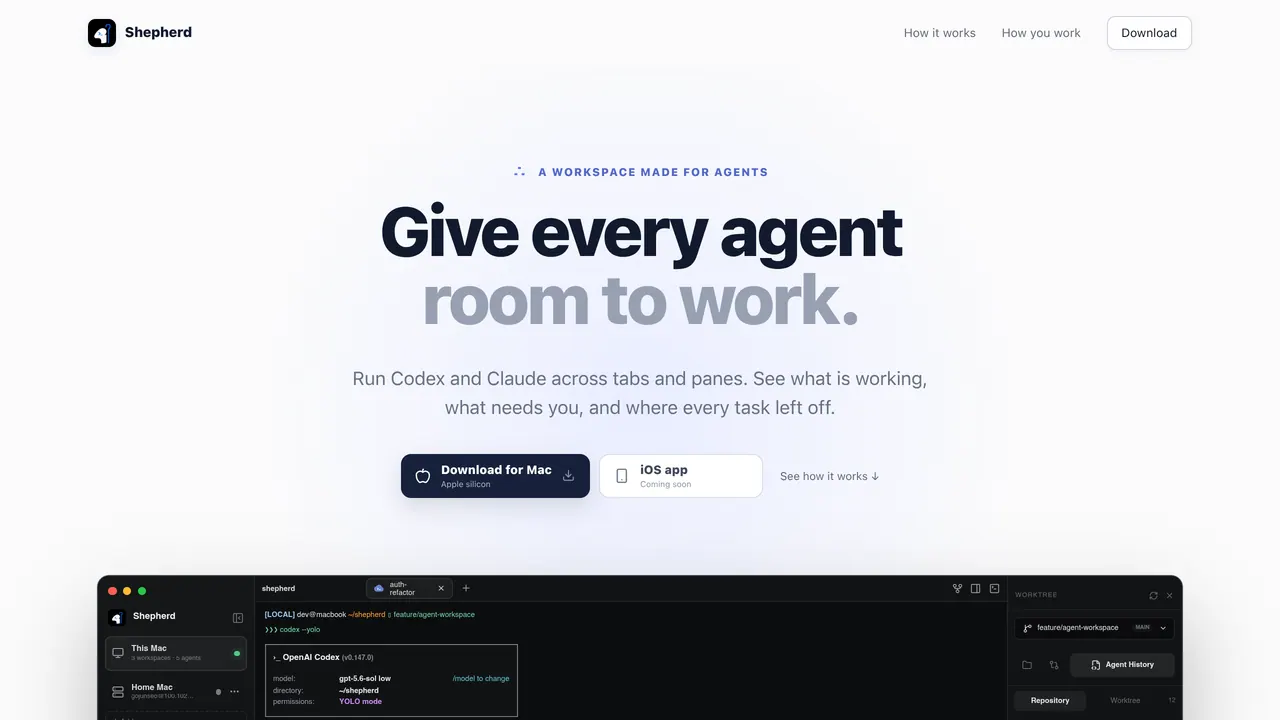
Shepherd Terminal is an a persistent terminal for Codex and Claude side by side Supports running Codex and Claude AI coding agents side by side within a single persistent terminal session.
What it does well
- Supports running Codex and Claude AI coding agents side by side within a single persistent terminal session.
- Accessible through any modern web browser without requiring local installation.
Where it falls short
- Pricing tier and cost structure are not publicly disclosed.
- Available only as a web-based platform with no listed native desktop or IDE plug-ins.
Tagged
- Supports Claude
- Supports GPT
- CLI
- Web-based
- Terminal Execution
Compared with similar things
Picked by shared tags inside the AI Coding Agents.
- 01→Port22
Claude Code, Codex & more on your phone
- 02Freemium →Codex
OpenAI's coding agent — works in the terminal, IDE, and cloud, reviews GitHub pull requests, and runs on GPT-5 models.
- 03Freemium →Raycast
Mac command bar with built-in AI — chat, write, translate, and run scripts from any app.
- 04Free →Aider
Open-source CLI coding agent that pair-programs in your terminal and commits to git automatically.
- 05→Munder Difflin
Make clones with Claude Code and Codex to do your work
- 06→DocsAlot CLI
Let Claude or Codex create and maintain good looking docs
Related reading
- The Best Vibe Coding Tools
The best vibe-coding tools aren't another AI model — they're the open-source Claude Code repos you stack on top of it. The right ones turn the agent from a fancy autocomplete into a disciplined senior engineer: it plans before it codes, designs properly, maps your codebase, and gets scanned for security. Here are eight worth installing.
Read guide → - How to Build an MVP with AI
You don't start by building. You start by finding the one assumption that would kill the idea, then build the smallest thing that tests it. Here's the full idea-to-deployed workflow from a live AI build session: research the market with ChatGPT, pick a segment on unit economics, have AI write the PRD, then vibe-code and ship with Claude Code — in a couple of hours, not a quarter.
Read guide → - What Is an AI Agent Harness? The Runtime That Turns an LLM Into an Agent
A harness is the runtime wrapper that turns a bare language model into an agent — the layer that runs tools, holds memory, assembles context, and enforces limits. The model does the reasoning; the harness does everything the model can't do on its own. It's the part that decides whether you shipped a chatbot or a real agent — and it's why the same model feels brilliant in one tool and useless in another.
Read guide →
Featured on Vibedonalds
Own Shepherd Terminal? Add this badge to your site to show you’re listed — and link back to your profile here.

<a href="https://vibedonalds.com/tools/shepherd-terminal" target="_blank" rel="noopener">
  <img src="https://vibedonalds.com/badge/featured-on-vibedonalds.svg" alt="Shepherd Terminal — Featured on Vibedonalds" width="240" height="60" loading="lazy" />
</a>Frequently asked questions
- What is Shepherd Terminal?
- Shepherd Terminal is an a persistent terminal for Codex and Claude side by side
- What platforms does Shepherd Terminal support?
- Shepherd Terminal runs on web.
- What category does Shepherd Terminal belong to?
- Shepherd Terminal is in the AI Coding Agents category — Autonomous agents that write, edit, run, and review code. Includes CLI agents, agentic IDE add-ons, and code-review bots.
- What are the downsides of Shepherd Terminal?
- Pricing tier and cost structure are not publicly disclosed. Available only as a web-based platform with no listed native desktop or IDE plug-ins.