Incredible
Desktop AI agent for Mac and Windows that does the tasks you say or type in your browser, files and apps.
Incredible is a desktop AI agent for macOS and Windows that clicks and types in your browser, files and apps to finish tasks you describe by voice or text, an approach the company calls vibe computing. After a 7-day free trial that needs a card, Starter costs $25 a month per seat, billed monthly.
About Incredible
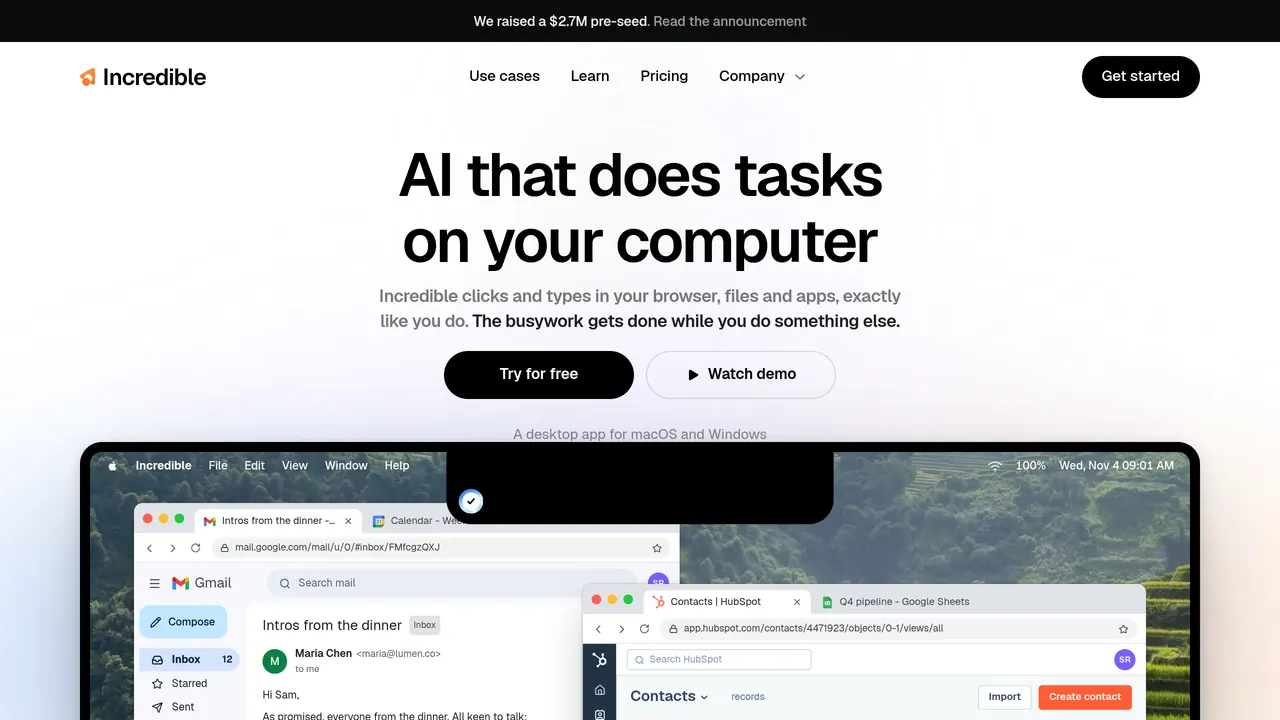
Hold a key and say what you need, or type it; the homepage shows the fn key. When activated, Incredible can see the page or document in front of you, so you can say “reply to this” without naming the email. It then works where you would: it clicks through websites you are already signed in to and fills in forms, and it reads and updates spreadsheets and documents on your computer.
Incredible says more than 3,000 apps connect to it directly, and its homepage demo turns one email into new HubSpot contacts. Its example tasks include prospect research and CRM updates for sales, summaries of G2 reviews for marketers, resume screening for recruiters, receipt filing for operations and meeting scheduling from long email threads. It can also remind you of something at a set time, with your details attached.
The company says Incredible only looks at your screen after you activate it, and that it is SOC 2 Type 2 audited by Sensiba and GDPR compliant, with no training on your data; documentation is in its Trust Center. Every plan comes with email support from people rather than a bot, Max moves you to the front of the support queue, and Ultra can add a shared Slack or Microsoft Teams channel with the founders.
Every plan is the full assistant with no features locked behind a higher tier; higher plans add usage, and Max and Ultra add faster support. Billed monthly per seat, Starter is $25, Pro $50 with 2x the usage of Starter, Max $179 with 3x the usage of Pro, and Ultra $500 with 10x the usage of Pro. A team puts every seat on one plan, usage is counted per person, seat changes are prorated, and larger teams can pay by invoice.
Sources: incredible.one, /pricing and /vibe-computing, read 2026-10-27
Incredible pros and cons
Pros
- Incredible asks before anything is sent; you can approve or change the step first and stop it at any time.
- Apps without a direct connection still work if you can open them in your browser.
- Cancelling before the 7-day trial ends means nothing is charged.
Cons
- There is no free plan: the trial needs a card, and afterwards you continue on Starter at $25 a month, billed monthly, unless you cancel.
- When you reach your usage limit, Incredible pauses and tells you when the limit frees up again.
- Team plans start paid: the 7-day trial is one per workspace, for your own account.
- It is a desktop app only, for macOS 13 or Windows 10 or later; the pages mention no Linux, iPhone or Android version.
Incredible alternatives
The closest alternatives to Incredible.
- 01→Kimi Work
Kimi's desktop agent for Windows and Mac: local files, scheduled jobs and browser automation.
- 02Freemium →AutoClaw
Z.ai's desktop AI agent for Windows, macOS and Linux that works across files, browsers and tools.
- 03Paid →Grok Bot
AI teammates with their own cloud computer that sign in to your tools and come back with finished work.
Related reading
Featured on Vibedonalds
Own Incredible? Add this badge to your site to show you’re listed — and link back to your profile here.

<a href="https://vibedonalds.com/tools/incredible" target="_blank" rel="noopener nofollow">
  <img src="https://vibedonalds.com/badge/featured-on-vibedonalds.svg" alt="Incredible — Featured on Vibedonalds" width="240" height="60" loading="lazy" />
</a>Frequently asked questions
- Is Incredible free?
- Incredible is a paid product. Pricing details are on the official site.
- What platforms does Incredible support?
- Incredible's own site lists it for macOS and Windows.
- What are the alternatives to Incredible?
- The closest alternatives to Incredible are Kimi Work, AutoClaw, Grok Bot.
- What are the downsides of Incredible?
- There is no free plan: the trial needs a card, and afterwards you continue on Starter at $25 a month, billed monthly, unless you cancel. When you reach your usage limit, Incredible pauses and tells you when the limit frees up again. Team plans start paid: the 7-day trial is one per workspace, for your own account. It is a desktop app only, for macOS 13 or Windows 10 or later; the pages mention no Linux, iPhone or Android version.
- What is Incredible?
- Incredible is a desktop AI agent for Mac and Windows. You hold a key and say a task, or type it, and it clicks and types in your browser, files and apps to do it. The company calls this approach vibe computing.
- How much does Incredible cost?
- After a 7-day free trial, plans are billed monthly per seat: Starter $25, Pro $50, Max $179 and Ultra $500. Every plan includes every feature; higher plans add usage, and Max and Ultra add faster support.
- Is there a free plan?
- Incredible has no free plan, only a 7-day free trial of Starter for your own account. You add a card in the app when you start, nothing is charged until the trial ends, and cancelling before it ends costs nothing.
- What do I need to run Incredible?
- A Mac on macOS 13 or later or a computer on Windows 10 or later. You download the app, create your account inside it and start the trial there.
- How is Incredible different from ChatGPT?
- Incredible puts it this way: ChatGPT writes it, Incredible does it. A chatbot writes the answer and you still have to put it into each app yourself; Incredible says it puts the result there for you, clicking and typing in your apps.