How to Build an AI Sales Agent From Your Own Chats (with Claude Code)
Don't buy a bot that 'closes the whole sale' — it won't, and people hate talking to one. What works: export your own sales chats, strip the personal data, and run them through a Claude Code agent that audits how you actually sell and writes the follow-ups your team forgot to send. Then put an agent only on the hours you're offline.
This is the do-it-yourself version, drawn from a live walkthrough by Alexander Serebryakov (founder of TextBack) on the Action Plan podcast. The figures are from his demo and marked as his; the workflow is the reusable part — and you can run all of it in Claude Code without writing much code yourself.
Why does a bot that 'closes the whole sale' fail?
The dream — one agent that runs your entire sales process — doesn't work. There are too many steps where it goes wrong, and the moment a buyer senses a bot is trying to sell them, they disengage. The pieces actually worth automating are the boring, formalized ones: routing, FAQs, after-hours replies, follow-ups.
So flip the goal. Instead of replacing your sales people, build something that makes them faster and catches what they drop. That starts not with a bot, but with an honest look at how you sell today.
Start with a diagnosis, not a bot
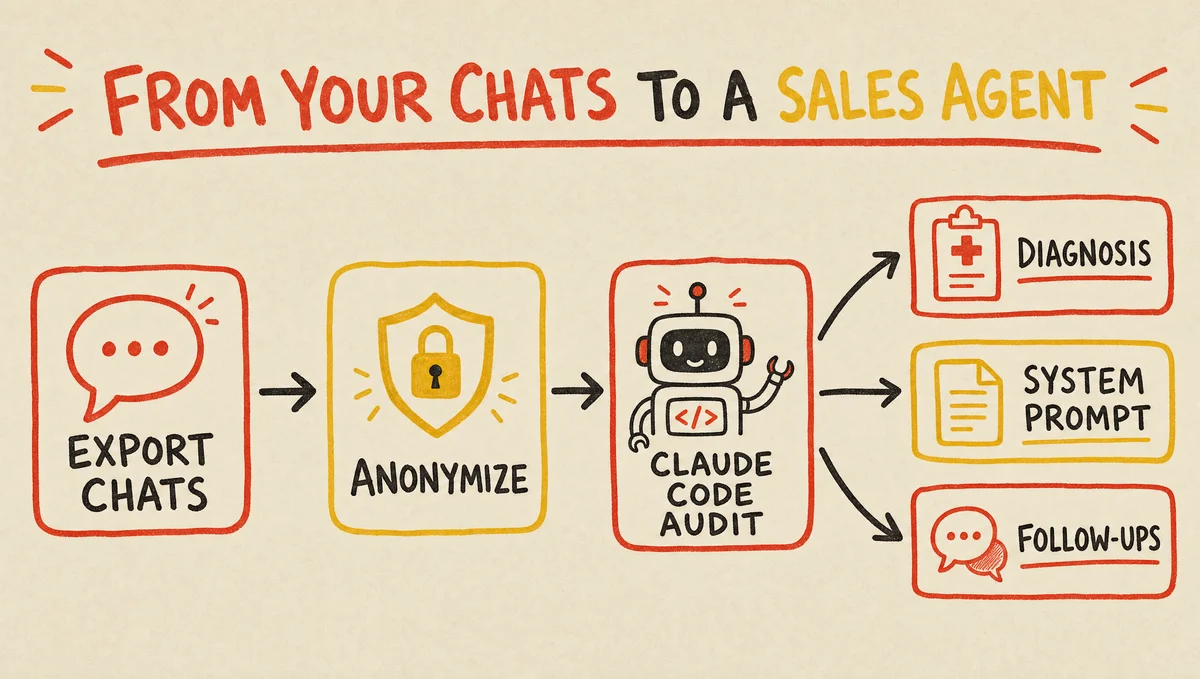
The mistake is bolting an agent on top of a sales process you've never examined. The fix: export your real chat history — from your CRM, or straight from WhatsApp, Telegram, and your DMs — and study it first. Call recordings work too; transcribe them to text and treat them the same way.
In the walkthrough, feeding about 220 real deals into the pipeline surfaced the median first-response time, how few leads got answered within five minutes, the after-hours gaps, the top questions, the drop-off reasons, and a request-to-payment conversion near 20% — Serebryakov's numbers, on his data. You learn more in an hour of this than in a month of guessing.
Anonymize the data before it touches an LLM
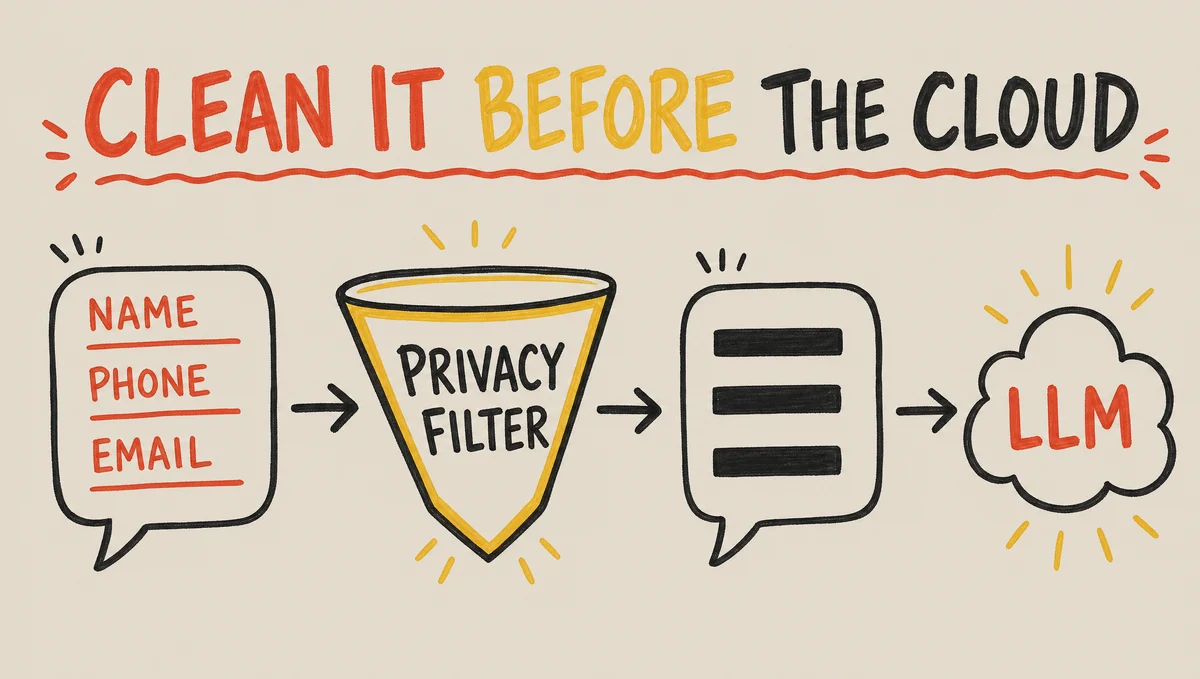
Your chats are full of names, phone numbers, and emails. Strip them before you send anything to a cloud model — for privacy, for compliance, and because it's just good hygiene. You don't have to hand-roll the scrubbing.
OpenAI's Privacy Filter is a tiny open-source model (Apache 2.0) that detects and redacts personal data locally, before the text ever leaves your machine — small enough to run on a laptop CPU. Run your export through it, then send only the clean version to the big model.
- OpenAI Privacy Filter (Hugging Face)
A small, local, open-source model that finds and removes personal data (names, contacts, secrets) from text before you hand it to a cloud LLM. Apache 2.0, runs on CPU.
What a Claude Code audit pipeline gives you
Point Claude Code at the cleaned export and ask it to build an audit pipeline — a chain of sub-agents that read the conversations and produce a set of artifacts. You can describe what you want in plain language; it scaffolds the agents for you, and you can have a checker agent verify each stage.
The useful outputs are three. A diagnosis (response times, after-hours gaps, conversion, a lost-revenue estimate). A system prompt and knowledge base you can drop into any agent builder. And the gold: a list of customers who went silent, each with a ready follow-up. Tell Claude Code to run it weekly and it becomes a standing health check on your sales.
Why AI-drafted follow-ups beat an autonomous bot
The hottest pattern in sales right now isn't an agent that chats on its own — it's AI that writes the message and a human sends it. People convert far better on a touch that feels human, even when a model drafted it.
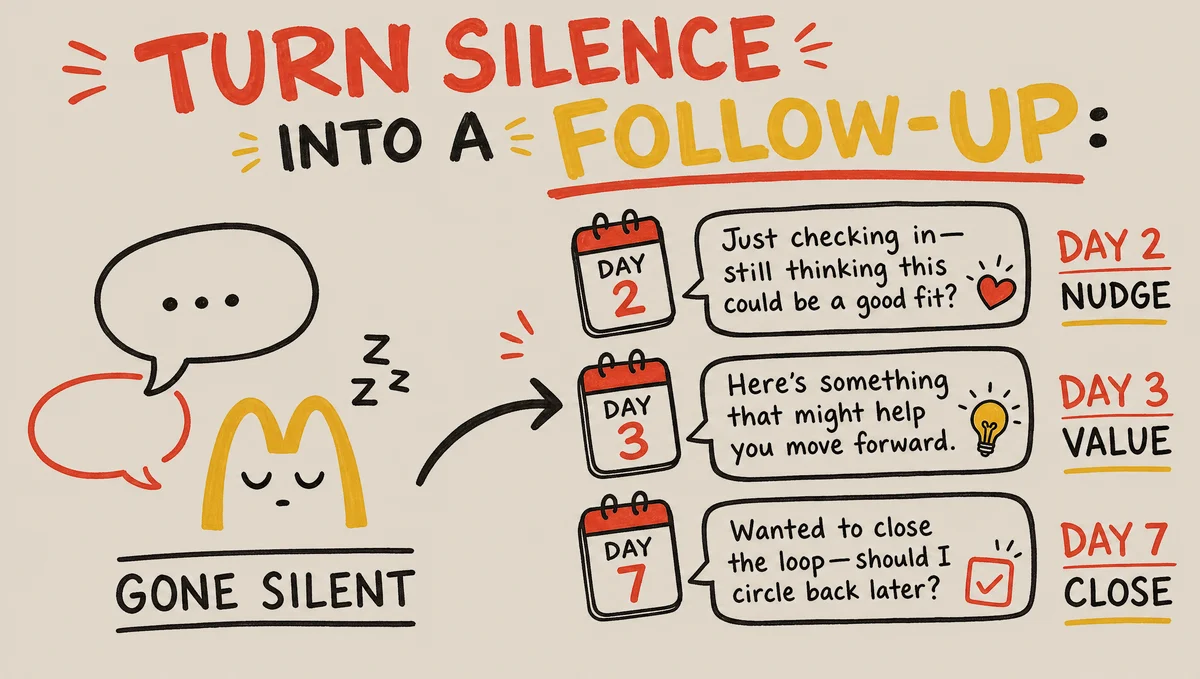
The audit turns every gone-silent lead into a small touch calendar: a gentle nudge on day two, a value-add on day three, a no-pressure close on day seven — in your team's own voice, because the model learned it from your real chats. In the walkthrough, one seller had a buyer ask about a 10,000-unit order and simply forgot to reply; this is exactly the lead the follow-up recovers.
What's the safest way to put an agent live?
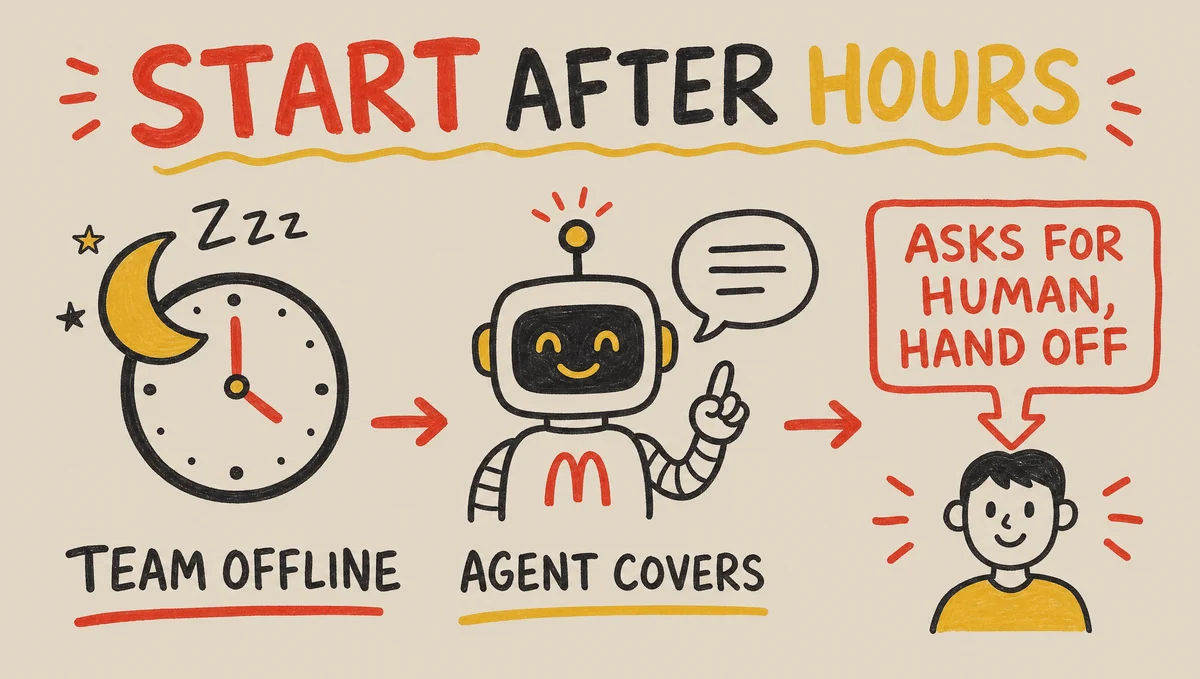
Start with one job: answer only when your team is offline. After-hours and overnight is where leads sit unanswered for hours and quietly leave — an agent that catches them, answers the basics, and collects a contact is almost pure upside. One client ran it nights-only, then a week later said to let it run around the clock.
Two non-negotiables. If someone asks for a human, hand off instantly — don't stall and loop them like a bank's chatbot. And track the share of chats a user has to force over to a human (the agent's 'disengagement rate'), then drive it down over time. Test it for prompt injection too: ask it to reveal its system prompt and make sure it won't.
Where this fits for a vibe-coded business
If you built your product with AI, build its sales engine the same way — from your own data, in Claude Code, one narrow job at a time. The diagnosis is the part to do this week; the agent can wait until you've seen what your chats actually say.
- The best vibe coding tools (Claude Code repos)
The agent-pipeline and methodology repos that make this kind of Claude Code workflow far easier to build.
- How to get your first users
Before you optimize sales chats, you need conversations to audit — the free channels that start them.
- List your app on Vibedonalds
Free after a quick review — a niche, crawlable directory for vibe-coded and AI-built products.
Frequently asked questions
- Can an AI agent run my entire sales process?
- No — and trying is the common mistake. There are too many steps to get wrong, and buyers disengage the moment they sense a bot is selling to them. Automate the formalized pieces (routing, FAQs, after-hours replies, follow-ups) and keep a human on the rest.
- Is it safe to put my customer chats into an AI?
- Only after you remove personal data. Names, phones, and emails shouldn't go to a cloud model. Run the export through a local scrubber first — OpenAI's open-source Privacy Filter redacts PII on your own machine — then send only the clean text to the big model.
- Should the AI talk to customers or just draft messages?
- For sales, drafting wins. The strongest pattern now is AI writing the follow-up and a human sending it — people convert better on a message that feels human. Save the autonomous agent for after-hours basics, not for closing.
- Where should I deploy an AI sales agent first?
- On the hours your team is offline. After-hours and overnight is where leads wait hours and leave; an agent that answers basics and grabs a contact then is almost pure upside, and the lowest-risk place to start before you expand its hours.
- Do I need to be a developer to build this?
- Mostly no. Claude Code can export and clean your chats, build the audit pipeline, and write the system prompt from plain-language instructions. You'll do some fiddling to wire up a CRM export, but the core workflow is describe-what-you-want, not hand-written code.